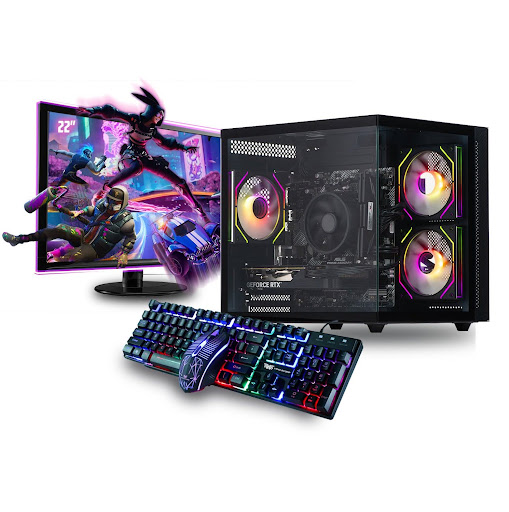
How to Choose the Best Budget Gaming PC in 2026 for Maximum FPS and Long-Term Value
Gaming in 2026 is more demanding than ever, but that doesn’t mean you need to spend a fortune to enjoy smooth, high-performance gameplay. With smarter hardware choices and better value components available, finding the best budget gaming pc is completely achievable. The key is understanding where to invest your money for maximum FPS and long-term reliability.
Whether you’re a student, a competitive esports player, or upgrading from a console, choosing the right gaming pc on a budget requires balance. This guide will help you identify the essential components, avoid common mistakes, and ensure your system delivers strong performance for years to come.
Why Budget Gaming Is Smarter Than Ever in 2026
Hardware has evolved significantly. Today’s mid-range components outperform high-end parts from just a few years ago. That means a well-built budget system can now handle:
- Smooth 1080p gameplay
- 100+ FPS in esports titles
- Solid performance in modern AAA games
- Streaming with optimised settings
For gamers across the UK especially in cities like London and Manchester where living costs are higher, getting maximum value from your investment is essential.
Step 1: Focus on the Graphics Card (GPU)
If your goal is maximum FPS, your GPU is the most important component.
When choosing the best budget gaming pc, look for:
- A dedicated graphics card (avoid integrated graphics)
- At least 6GB–8GB VRAM for better longevity
- Strong 1080p performance benchmarks
A powerful GPU ensures smoother gameplay, better visuals, and consistent frame rates. Even on a budget, this is not the component to compromise on.
Step 2: Choose the Right Processor (CPU)
Your CPU supports your GPU and ensures stable performance.
For a solid budget gaming pc in 2026:
- Aim for at least 6 cores
- Look for modern Intel Core i5 or AMD Ryzen 5 models
- Prioritise strong single-core performance for esports titles
A balanced CPU prevents bottlenecks and maintains consistent FPS, especially in competitive games.
Step 3: 16GB RAM Is the Sweet Spot
In 2026, 8GB RAM is no longer ideal for modern gaming.
The best budget gaming pc should include:
- 16GB DDR4 or DDR5 RAM
- Dual-channel configuration for better performance
This ensures smoother multitasking and stable gameplay without stuttering.
Step 4: Always Choose SSD Storage
An SSD dramatically improves:
- Boot speed
- Game loading times
- Overall system responsiveness
Look for at least a 1TB SSD if possible. Many budget systems now include NVMe SSDs, which offer even faster speeds than traditional SATA drives.
Step 5: Don’t Overlook the Power Supply
Many budget builds fail because of cheap power supplies.
A quality gaming pc should include:
- Branded PSU
- Adequate wattage for future GPU upgrades
- Stable power delivery
A reliable PSU protects your components and extends system lifespan.
Step 6: Cooling and Airflow Matter
Even a budget gaming pc needs good airflow.
Look for:
- Multiple case fans
- Clean internal cable management
- Proper ventilation
Overheating can reduce performance and shorten hardware life. Proper cooling ensures consistent FPS during long gaming sessions.
Step 7: Performance Expectations for Budget Builds
Let’s be realistic about what the best budget gaming pc can achieve.
At 1080p resolution, you can expect:
- 120–200 FPS in esports titles
- 60–100 FPS in modern AAA games
- Smooth gameplay at medium to high settings
For competitive gaming, this is more than enough to gain an edge.
Step 8: Upgrade Potential for Long-Term Value
Long-term value is about flexibility.
Before buying, check:
- Available RAM slots
- PSU capacity for stronger GPUs
- Motherboard compatibility
- Case space for future upgrades
A system that allows upgrades saves money over time and keeps your gaming pc relevant longer.
Resolution: Stick to 1080p for Best Results
While 1440p and 4K gaming look impressive, they require stronger hardware.
For maximum FPS and value:
- Choose 1080p resolution
- Pair with a 144Hz monitor
- Optimise in-game settings
This combination delivers smooth performance without stretching your budget.
Who Should Buy the Best Budget Gaming PC?
A budget gaming pc is ideal for:
- Students
- First-time PC gamers
- Competitive esports players
- Parents buying for teenagers
- Casual streamers
- Console players switching to PC
It offers strong performance without financial strain.
UK Gaming Market Trends in 2026
In the UK, gamers are becoming more value-conscious. Rising hardware prices and electricity costs have encouraged smarter purchasing decisions.
Budget systems now provide enough performance for most gamers, making them the most popular choice nationwide.
Instead of chasing ultra-high resolutions, many players prioritise smooth frame rates and competitive advantage, something a well-built budget gaming pc delivers effectively.
Why the Best Budget Gaming PC Is the Smart Investment
A carefully selected budget gaming system provides:
- Excellent price-to-performance ratio
- Reliable everyday gaming
- Upgrade flexibility
- Competitive FPS
- Long-term usability
You don’t need premium hardware to enjoy smooth gameplay, you just need smart component selection.
Level Up Your Gaming Experience Today
Finding the best budget gaming pc in 2026 doesn’t mean settling for low performance. With the right balance of GPU power, efficient CPU performance, 16GB RAM, and fast SSD storage, you can enjoy smooth, high-FPS gameplay without overspending.
If you’re ready to upgrade your gaming pc and experience powerful performance at an affordable price in the UK, now is the perfect time to make the move.
Explore high-performance budget gaming PCs today and unlock maximum FPS, smooth gameplay, and unbeatable value. Your next gaming upgrade starts now.
Stay in touch to get more updates & news on Theutdplug!